
FLUF Connect: Crosslisting App for iPhone & Android
Photograph an item, let FLUF AI write the listing, and crosslist it to 70+ marketplaces from your phone. Listings, orders and sales from every marketplace in one app, on the same account as the web.
Free to download. FLUF Connect account and subscription required.
- Create listings from photos: photograph an item and FLUF AI drafts the title, description, category, brand, size, condition and price for you to check. How the AI listing generator works, and how to switch it off.
- Crosslist to 90+ marketplaces: pick an item, choose the marketplaces, done. Marketplaces that need your own signed-in session, such as Vinted and Facebook Marketplace, run from the app too. You do not need a computer.
- Listings, orders and sales in one place: every marketplace in one list, with filters by marketplace and status, and push notifications for sales and offers.
- Same account as the web: anything you do on the phone is on the web dashboard, and the other way round.
- Cost: free to download. 7 days for £1, then from £9/month. In 30 languages.
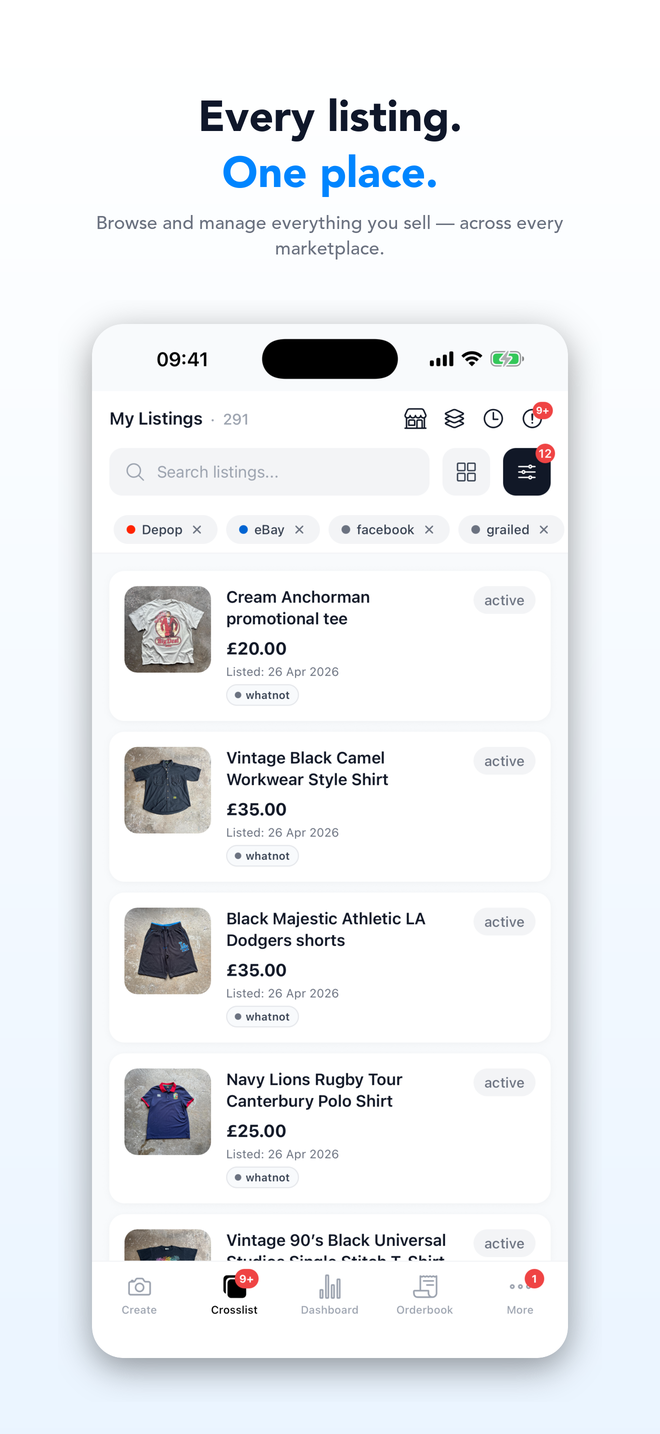
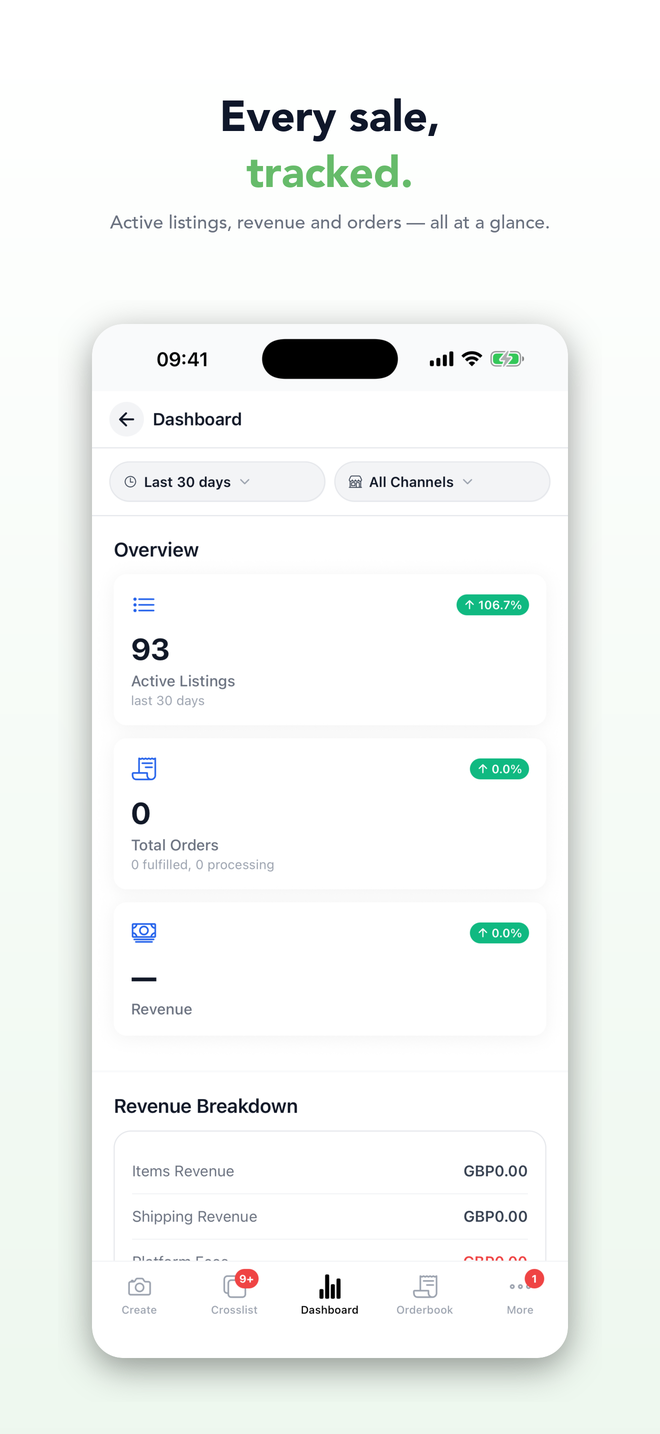
FLUF Connect is the same crosslisting account on your phone as on your laptop. Most sellers use the phone for the parts of the job that happen away from a desk, photographing stock and checking what sold, and the web for long editing sessions and spreadsheet imports. Both work on the same listings.
Create a listing in the time it takes to photograph it
- Open Create and take the photos. Front, back, labels and any flaws. The camera crops to the square or 4:3 frame marketplaces expect, and you can pull photos from your gallery instead.
- Let FLUF AI write the draft. Title, description, category, brand, size, colour, condition and a suggested price come back in a few seconds. Add a note for anything the photos can’t show.
- Check it and choose marketplaces. Correct anything the AI got wrong, pick the marketplaces, and publish. The draft is saved as you go, so a phone call or a dead battery doesn’t lose it.
Prefer to write listings yourself? Switch on Disable AI processing in your listing settings and the app creates the listing from your photos with the details left for you. The app also works as a remote camera for the Create screen on your laptop: shoot on the phone, the photos land on the laptop.
Crosslist and relist from your phone, including Vinted
Open any listing, tap Crosslist, choose the marketplaces. FLUF prepares the listing for each one and asks for anything a marketplace still needs. Marketplaces that only let you list through your own signed-in account, such as Vinted, Facebook Marketplace, Whatnot, Grailed, Poshmark and Mercari, run inside the app using your own login. Auto-relisting, offer rules and sold-item removal on those marketplaces run from the phone too, and FLUF never asks for your marketplace passwords.
Run the shop between sourcing trips
- Listings: search and filter every marketplace’s listings in one place, edit details, mark items sold, restock, or delete in bulk.
- Orders: every marketplace’s orders in one list, with status, buyer and item. Inventory sync has already ended the sold item elsewhere by the time you read it.
- Dashboard: active listings, orders and revenue by marketplace for the period you choose.
- Smart Pricing: see and adjust your pricing rules from the phone.
- Notifications: sales, offers and crosslisting results as push notifications, each one opening the right screen.
- Help: FLUF’s assistant, Intesa, answers questions about your account and listings inside the app.
Get FLUF Connect on your phone
Free to download. 7 days for £1, then from £9/month.
What to do on the phone and what to do on the web
| Phone | Web dashboard |
|---|---|
| Photographing stock and creating listings where the stock is | Editing many listings on a big screen |
| Crosslisting an item you have just listed | Spreadsheet imports and bulk jobs |
| Checking sales, orders and offers on the move | Connecting marketplaces that sign in through a browser, accounting, shipping labels |
| Running Vinted, Facebook and other signed-in marketplaces | The browser extension does the same job if you’d rather use a computer |
Signed in, locked, and in your language
You stay signed in. Optionally lock the app with Face ID or your fingerprint, with a second check before deleting listings or disconnecting a marketplace. The app is available in 30 languages and picks up your phone’s language automatically. It runs on iOS 15.1 and later, Android 7 and later, and on iPad and foldables.
Plans
The app is free to download and uses your FLUF Connect subscription. You can subscribe inside the app on iPhone or on the web. 7 days for £1, then from £9/month.
| Plan | Monthly | Yearly | You save | Crosslisted products |
|---|---|---|---|---|
| Starter | £9/month | £85/year | 21% | Unlimited |
| Pro | £29/month | £155/year | 55% | Unlimited |
| Priority | Custom pricing — tell us what you need | Unlimited | ||
Automatic relisting, offer management, smart pricing and listing boosts are included from Pro upwards. Starter covers unlimited crosslisting, inventory sync, order sync and Instagram posting without them. Accounting integrations are included from Pro upwards. Yearly billing is charged once a year. New accounts get 7 days for £1, then move onto a plan.
Save 21% when you pay yearlyFrequently Asked Questions
Yes. FLUF Connect is on the App Store for iPhone and iPad and on Google Play for Android. It needs iOS 15.1 or later, or Android 7 or later.
The app is free to download and uses your FLUF Connect subscription. New accounts get 7 days for £1, then plans start at £9 a month. You can subscribe inside the app on iPhone or on the web.
Yes. Vinted, Facebook Marketplace, Whatnot, Grailed, Poshmark and Mercari only allow listing through your own signed-in account, and the app provides that session itself. Relisting, offer rules and sold-item removal on those marketplaces run from the phone too. You never need the desktop extension if you have the app.
Yes. Take the photos in the Create tab or pick them from your gallery, and FLUF AI drafts the title, description, category, brand, size, condition and price. You check and correct it before publishing. The AI can be switched off in your listing settings.
Yes. Listings, marketplace connections, settings and orders are shared. You can start a listing on the phone and finish it on the web.
You can take photos without a connection, but creating listings, crosslisting and syncing need internet, because FLUF talks to the marketplaces for you.
30, including English, Italian, French, Spanish, German, Portuguese, Dutch, Polish, Swedish, Czech, Romanian, Lithuanian, Hindi, Japanese, Turkish, Arabic and Hebrew. It follows your phone's language and you can change it in Settings.
No. For marketplaces that use an official connection, you sign in on the marketplace's own page and grant access. For marketplaces that run through your own session, you sign in inside the app and FLUF never sees or stores your password.
Sign up for free
Join the community
You're in.
Open your dashboard
